If your gadget doesn’t solve an actual problem, it’s just an expensive paperweight.
Walking into an electronics store can feel like entering a temple of technological overwhelm. Shiny screens glare at you from every direction, salespeople throw acronyms like confetti, and that sinking feeling emerges—how do you possibly choose? After two decades of testing gadgets that range from revolutionary to “why does this exist?”, I’ve discovered that the secret isn’t finding the “best” device, but finding the right device for you.
The Great Camera Conundrum: More Megapixels Don’t Always Mean Better Photos
The Mirrorless Revolution: Sony A7IV
The Sony A7IV represents the sweet spot in the mirrorless camera revolution—it’s what happens when technology becomes genuinely intuitive. With 33-megapixel full-frame sensor and real-time eye autofocus that locks onto subjects with almost creepy precision, this camera makes professional-looking photos accessible to mere mortals.
The game-changer here isn’t the resolution though—it’s the AI-assisted tracking that can distinguish between human eyes, animal eyes, and even bird eyes. As one photographer joked, “It focuses so well I’m starting to question my own career.” The A7IV proves that the best camera isn’t necessarily the one with the most megapixels, but the one that helps you capture the shot before the moment disappears.
The Content Creator’s Dream: Canon EOS R5
Canon’s EOS R5 made waves for all the right (and occasionally wrong) reasons. When it launched, the photography world collectively gasped at its 8K video recording capability—a feature most users will never need but love having anyway. More practically, its in-body image stabilization provides up to 8 stops of shake correction, meaning you can shoot handheld in lighting conditions that would previously have required a tripod.
The R5 does have a notorious tendency to overheat during extended 8K recording sessions—a reminder that bleeding-edge technology often comes with compromises. As one reviewer noted, “It’s like having a sports car that occasionally needs to pull over and cool down—frustrating when it happens, but so thrilling the rest of the time you might not care.”

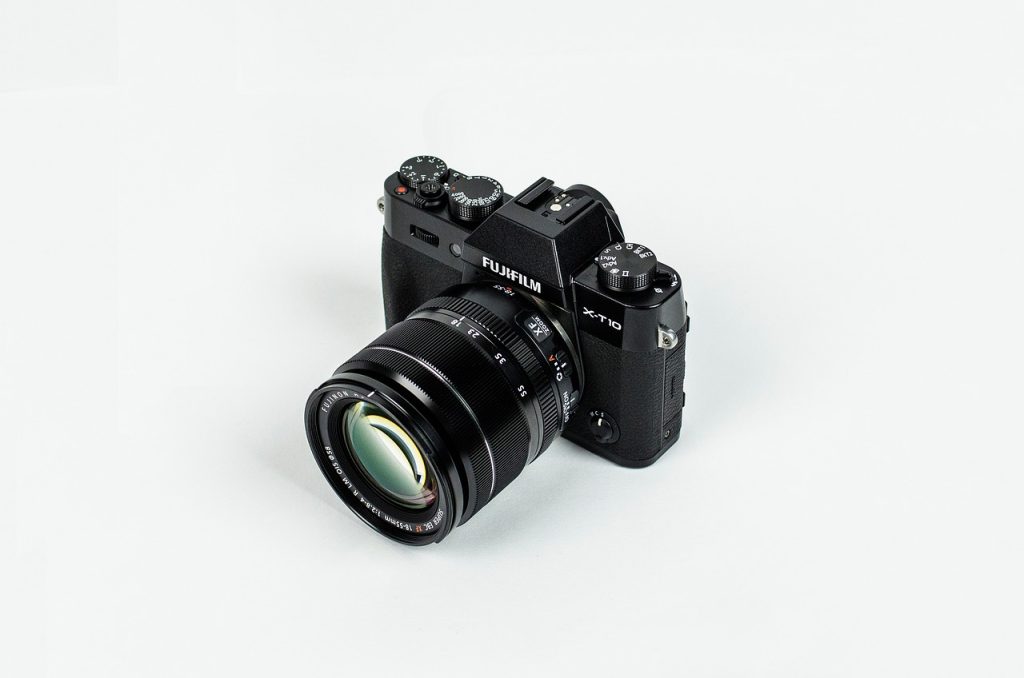
While full-frame cameras get most of the attention, Fujifilm’s X-T5 demonstrates that sometimes smaller is smarter. This APS-C camera delivers stunning 40-megapixel images in a body that weighs just 557g. Fujifilm’s legendary film simulations mean your photos can look beautifully processed straight out of camera—perfect for those who love great images but hate spending hours editing.
The X-T5 feels like a camera designed by people who actually enjoy photography. The tactile dials for shutter speed, ISO, and exposure compensation take you back to photography’s roots while delivering thoroughly modern results. It’s the camera that reminds you why you fell in love with taking pictures in the first place.
Smartphones Revisited: When Good Enough Is Better Than Great
The Compact Wonder: Asus Zenfone 11
In a world of ever-expanding phones, the Asus Zenfone 11 is a refreshingly compact flagship that proves good things come in small packages. With a 5.9-inch display that actually fits in normal human hands (and pockets), it delivers premium performance without the gymnastics required to use most modern phones one-handed.
The Zenfone 11 understands that not everyone wants a tablet in their pocket—sometimes you just need a phone that works well, feels comfortable, and won’t pull your pants down. Its exceptional battery life (relative to its size) is the icing on the cake.
The Battery Behemoth: Energizer Hard Case P28K
Remember when phone batteries lasted for days? The Energizer Hard Case P28K takes this concept to its logical extreme with a 28,000 mAh battery that provides up to 122 hours of talk time. Yes, you read that correctly—this phone could theoretically last through a long weekend festival and still have juice to call a ride home.
The catch? This rugged device weighs a substantial 570g (nearly 1.5 typical smartphones) and is 27.8mm thick. It’s less a phone and more a communication device with phone capabilities. As one reviewer put it, “Carrying the P28K isn’t just owning a phone—it’s making a statement that you will never, ever be caught with a dead battery.”
Laptops for Real Life: Beyond the Benchmarks
The Convertible Contender: Dell XPS 13 2-in-1
Dell’s XPS 13 2-in-1 takes everything we love about the standard XPS 13 and adds flexibility—literally. The 360-degree hinge lets you flip between laptop, tablet, tent, and display modes with satisfying precision. The touchscreen with Dell’s excellent active pen support makes it perfect for note-takers and casual artists.
What’s most impressive is how Dell managed to pack this functionality into a device that’s still remarkably portable. At just 1.6kg, it proves that 2-in-1s don’t have to be bulky compromises—they can be genuinely versatile tools that adapt to how you work and play.
The Gaming Powerhouse: Razer Blade 18
For those who need desktop-level performance in a (relatively) portable form factor, the Razer Blade 18 is essentially a desktop replacement that you can actually carry between rooms. With up to an Intel Core i9 H-series processor and NVIDIA GeForce RTX 4090 graphics, this machine handles everything from spreadsheet calculations to ray-traced gaming without breaking a sweat.
The stunning 18-inch 4K display with 165Hz refresh rate makes games look incredibly smooth and videos remarkably crisp. Yes, it’s expensive, heavy, and has battery life best measured in minutes when gaming—but for some, that tradeoff is worth it for having one device that does everything exceptionally well.
The Art of Choosing: A Practical Framework
Step 1: Identify Your Actual Needs (Not Your Aspirational Ones)
Be honest: are you really going to edit 8K video, or do you just like the idea of being someone who could? Most people overestimate their performance needs while underestimating the importance of comfort, battery life, and display quality.
Step 2: Consider the Ecosystem
That Android phone might work fine with your Windows laptop, but you’ll miss out on the seamless integration of Apple’s ecosystem or Samsung’s growing Galaxy ecosystem. The best device isn’t always the one with the best specs—it’s the one that plays nicely with your other gadgets.
Step 3: Think About Longevity
A slightly more expensive device with better build quality and longer software support often costs less in the long run than replacing a cheaper device every couple of years. As one wise tech reviewer noted, “The sweet spot for technology is where performance, price, and longevity intersect.”
Step 4: Don’t Overlook the Human Factors
That laptop might have incredible specs, but if the keyboard feels like typing on wet cardboard, you’re not going to enjoy using it. The phone might have an amazing camera, but if it’s too large for your hands, you’ll struggle to hold it steady. The best technology feels good to use—never underestimate ergonomics.
The Future Is Here (But It’s Unevenly Distributed)
As we look ahead, several trends are reshaping our gadgets:
· AI is moving from gimmick to genuine tool—from cameras that automatically frame group shots to laptops that optimize performance based on what you’re doing
· Modularity is making a comeback—Framework’s repairable laptops and Fairphone’s modular smartphones point toward a more sustainable future
· Battery technology is finally improving—not just in capacity but in charging speed and longevity
The most exciting development might be the quiet revolution in repairability. After years of devices becoming increasingly sealed shut, companies like Framework are proving that powerful, sleek, and repairable aren’t mutually exclusive.
Parting Thoughts: Your Gut Knows Best
After all the reviews, spec comparisons, and hands-on testing, the most important question remains: Does this device feel right for you?
Technology should serve you, not the other way around. The perfect gadget isn’t the one with the highest number on a benchmark chart—it’s the one that disappears into the background, helping you do what you want to do without getting in the way.
As one particularly wise (and anonymous) forum user once wrote, “The best camera is the one you have with you. The best laptop is the one that doesn’t make you think about using it. The best phone is the one that connects you to people you care about.”
Choose wisely, but remember: today’s cutting-edge technology is tomorrow’s bargain bin resident. Find what works for you, enjoy it while it lasts, and don’t stress too much about finding the “perfect” device—because in technology, as in life, perfection is overrated.