Blog

  • The Tech of Enough: Resisting the Upgrade Treadmill

    The Tech of Enough: Resisting the Upgrade Treadmill

    We live in the golden age of the perpetual upgrade. A new smartphone is released, and suddenly, the one in your pocket feels sluggish. A new camera is announced, and your trusted shooter seems inadequate. This relentless cycle isn’t driven by genuine need, but by a sophisticated engine of marketing and manufactured desire. The most radical act in tech today is not buying the latest thing. It is declaring that what you have is, and will be for the foreseeable future, enough.

    This philosophy isn’t about asceticism or rejecting progress. It’s about reclaiming sovereignty over your wallet, your attention, and your creative energy. It’s the conscious choice to step off the treadmill and invest in mastery over novelty.

    The Psychology of the “Next Big Thing”

    The upgrade itch is a complex psychological phenomenon, expertly cultivated by the tech industry.

    · The Spec Sheet Mirage: We are sold a dream of transformative performance based on technical benchmarks. We’re told we need a faster processor, a higher-resolution sensor, more megapixels. Yet, for the vast majority of users, these improvements are marginal at best, invisible at worst. The leap from “excellent” to “slightly more excellent” is rarely perceptible in daily use, yet we’re convinced it’s essential.
    · The Social Currency of Newness: Our gadgets have become extensions of our identity. Carrying the latest model signals that we are current, successful, and on the cutting edge. This social pressure is a powerful driver, conflating self-worth with consumption in a way that is both financially and psychologically draining.

    The path to contentment begins with a ruthless, honest audit of your current setup. Ask yourself these questions:

    1. What is the specific, tangible limitation I am facing? Be brutally specific. “My laptop is slow” is vague. “It takes more than 30 seconds to boot up Photoshop and load a 500MB file” is specific. Is the problem the hardware, or is it a cluttered hard drive, too many background processes, or a need for a software reinstall?
    2. Does this limitation actually prevent me from doing meaningful work or enjoying my hobby? Often, the perceived limitation is a minor inconvenience, not a true roadblock. A camera with slightly slower autofocus might mean you miss one shot in a hundred. Is that worth a $2,000 upgrade?
    3. Have I truly mastered the tool I already own? Your current camera likely has dozens of features and custom functions you’ve never explored. Your laptop has powerful automation tools you’ve never used. The upgrade you seek might be hiding in the untapped potential of the device already in your hands.

    The Power of the “Last-Gen” Champion

    In the tech world, “previous generation” is unfairly synonymous with “obsolete.” This is a fallacy. In reality, buying a last-gen flagship is often the smartest financial and practical decision you can make.

    · The Value Proposition: A one or two-year-old flagship device offers 90% of the performance of the latest model for 50-60% of the price. The dramatic depreciation of tech works in your favor, allowing you to access premium quality at a fraction of the cost.
    · A Refined Product: Early adopters are beta testers. By the time a product is a generation old, its software is more stable, its common hardware issues are known and often fixed, and the ecosystem of accessories is mature and affordable.

    Finding Freedom in Limitation

    Paradoxically, embracing the limits of your current gear can be a massive creative catalyst. Constraints breed innovation.

    · The “One Lens, One Month” Challenge: If you’re a photographer, mount a single prime lens on your camera and use nothing else for a month. This limitation will force you to move your feet, see compositions differently, and master the unique character of that one piece of glass. You’ll become a better photographer not in spite of the constraint, but because of it.
    · The Joy of the Worn Tool: There is a unique satisfaction in a tool that shows the patina of use. The slight shine on your laptop’s trackpad, the smooth action of your camera’s dials—these are the marks of a journey. They tell a story that a pristine, out-of-the-box device cannot. This familiarity breeds a level of intuitive use that no new gadget can immediately provide.

    The True Cost of an Upgrade

    We calculate the cost of a new device in its price tag. But the real cost is often hidden in the mental and temporal overhead:

    · The Setup Tax: The hours spent transferring data, logging into accounts, reconfiguring settings, and re-learning minor UI changes.
    · The Adaptation Tax: The mental energy required to adjust to a new device’s quirks and workflows.
    · The Anxiety Tax: The low-grade stress of protecting a new, expensive possession from damage or theft.

    The Tech of Enough is a philosophy of intentional living. It’s the quiet confidence that comes from knowing your tools intimately, from squeezing every last drop of potential from them, and from understanding that the best camera, phone, or laptop is not always the one that was announced last week, but the one that reliably, joyfully, and capably helps you create your life, right here, right now. It is the realization that the ultimate upgrade isn’t a new piece of hardware, but the peace of mind that comes from being perfectly content with what you already have.

  • The Analog Counterweight: Why the Best Tech Setup Isn’t All Digital

    The Analog Counterweight: Why the Best Tech Setup Isn’t All Digital

    We live in a world of digital perfection. Our phones correct our photos, our writing apps fix our grammar, and our music streams offer endlessly optimized playlists. This seamless digital experience has an unexpected cost: it’s slowly erasing the texture, the friction, and the happy accidents that make creative work deeply human. The most sophisticated tech users are discovering a secret weapon in their arsenal—the deliberate, strategic use of analog tools as a counterweight to digital sterility.

    This isn’t about being a Luddite. It’s about building a hybrid ecosystem where digital power and analog soul coexist, each playing to their strengths. The goal is not to replace your devices, but to balance them with tools that engage different parts of your brain and reintroduce the human element that algorithms can’t replicate.

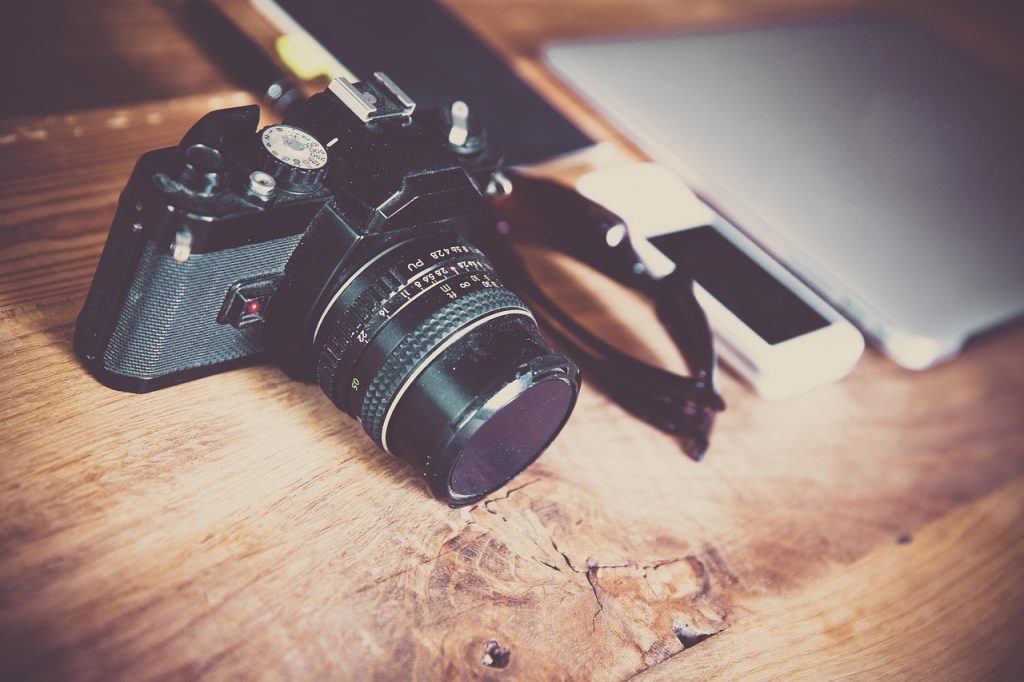
    In the age of instant digital previews, we’ve lost one of photography’s greatest gifts: anticipation. The film camera, whether a vintage SLR or a modern instant camera, forces a different relationship with your subject.

    · The Discipline of a Finite Roll: With only 24 or 36 exposures, you can’t machine-gun your way to a good shot. You must slow down, consider your composition, and wait for the decisive moment. This constraint isn’t a limitation; it’s a teacher. It trains your eye to see more deeply before you ever press the shutter.
    · The Gift of Imperfection: A light leak, a slightly missed focus, or the unique grain of a particular film stock—these “flaws” are what give a photograph character. They are the human fingerprints on the image, the evidence of a physical process. In a world of computationally perfect smartphone images, these imperfections become a form of signature and style.

    The Notebook That Never Crashes: The Ultimate Reliable System

    For all the power of note-taking apps, they share a common vulnerability: they exist on devices filled with distractions. The humble notebook offers something no app can: pure, undivided cognitive space.

    · The Neurological Advantage: The physical act of writing by hand engages the brain in a more complex way than typing. It slows you down just enough to encourage synthesis and original thought, rather than mere transcription. Your notebook becomes a playground for ideas, where messy sketches can live alongside half-formed sentences, free from the formatting constraints of a digital document.
    · The Unbeatable User Interface: A notebook has infinite battery life, boots instantly, and has a search function powered by your own memory and physical tabs. It is immune to software updates, cloud sync errors, and the temptation to switch to another app. For brainstorming, journaling, and working through complex problems, it remains the most reliable technology ever invented.

    The Hi-Fi That Doesn’t Track You: The Joy of Curated Sound

    Algorithmic music streaming is a miracle of convenience, but it has turned listening into a passive experience. The resurgence of vinyl records and high-quality audio gear is a direct response to this.

    · The Ritual of Listening: Selecting a record, carefully placing the needle, and sitting down to listen to an entire album side is an act of intentionality. It’s the opposite of skipping through a playlist. You commit to the artist’s intended journey, experiencing the ebbs and flows of the music as a cohesive whole.
    · The Physics of Sound: There’s a warmth and richness to analog sound that even high-resolution digital streams can struggle to replicate. The subtle cracks and pops of a vinyl record aren’t seen as noise, but as part of the authentic experience—a reminder that you’re listening to a physical object with its own history.

    Building Your Balanced Toolkit

    The most effective creative professionals aren’t digital purists; they are ecosystem architects. They know when to reach for the raw power of their digital tools and when to step back into the analog world for a different kind of thinking.

    · The Hybrid Workflow: A project might start as messy sketches in a notebook, move to a digital platform for execution and collaboration, and then use a printed proof for final edits—where the physical format often reveals errors a screen hides.
    · The Analog Sabbath: Many now practice a weekly “analog Sabbath”—a day where they step away from digital tools entirely. They read physical books, write with pen and paper, and listen to records. This isn’t a detox; it’s a recalibration, a way to remind their brains what it feels like to think without a hyperlink in sight.

    The ultimate goal is not to choose between analog and digital, but to master the art of transition between them. Your film camera will teach you lessons about light that you’ll apply to your digital photography. Your notebook will help you formulate ideas you can later execute with digital efficiency. Your record player will train your ear to appreciate the albums you stream.

    In a world pushing us toward ever more seamless digital immersion, the analog counterweight provides the necessary friction for creativity to spark. It’s the grit in the oyster that makes the pearl. The most advanced tech setup, it turns out, has a well-sharpened pencil sitting right beside the keyboard.

  • The Digital Sanctuary: Architecting Spaces for Focus in a Noisy World

    The Digital Sanctuary: Architecting Spaces for Focus in a Noisy World

    The modern digital environment is a cacophony. Notifications scream for attention, endless feeds promise fulfillment through infinite scroll, and our devices buzz with the anxious energy of a thousand simultaneous conversations. In this landscape, the most radical act isn’t finding a better app—it’s building a sanctuary. A digital sanctuary isn’t a single tool; it’s an intentionally architected space, a series of habits and configurations designed to protect your most valuable resource: your focused attention.

    This sanctuary exists not in opposition to technology, but as a refined layer within it. It’s a set of rules you build around yourself, creating pockets of silence and purpose in the digital noise. The goal is to transform your devices from sources of distraction into gateways for depth.

    Laying the Foundation: The Architecture of Silence

    Every sanctuary needs walls. In the digital realm, these are built from configuration and conscious limitation.

    · The Notification Moat: The first and most critical wall is a moat of silence. This goes beyond simple “Do Not Disturb.” It’s a ruthless, app-by-app interrogation. Does this alert serve a genuine, time-sensitive human need? If not, it gets banished outside the walls. The result is a device that respects your presence in the physical world, only breaking the silence for true emergencies or meaningful connection.
    · The Single-Purpose Gatehouse: A sanctuary has a clear entrance. Your phone’s home screen or your laptop’s dock is this gatehouse. It should contain only the essential tools for your core activities—your communication hub, your note-taking app, your camera. Everything else is stored away, accessible but not visible. This reduces the cognitive load of choice and prevents the “I’ll just check…” spiral before it begins.

    Within the sanctuary, every tool is chosen for its ability to support deep work, not shallow consumption.

    · The Full-Screen Chamber: The most powerful feature for focus is the “full-screen” or “distraction-free” mode found in many writing and creative apps. This is your inner chamber, a space where the task at hand can expand to fill your entire field of vision. No menus, no bouncing icons, no reminders of other tasks—just you and your work.
    · The Analog Annex: Paradoxically, a true digital sanctuary makes room for analog tools. A physical notebook for brainstorming provides a frictionless, limitless canvas that no digital app can match. A book on your desk offers deep immersion without the possibility of a hyperlink. These tools are not a rejection of technology; they are specialized instruments that excel where screens fail, providing restorative mental space.

    The Rituals of Entry and Exit: Maintaining the Sanctity

    A sanctuary is defined by its protocols. How you enter and leave matters as much as what you do inside.

    · The Entry Ritual: Before you begin a focused session, perform a short ritual. Close all unrelated tabs and applications. Set a timer for your intended work block. Put your phone in another room, or at least face down and silenced. This ritual signals to your brain that you are crossing a threshold into a different mode of being—from reactive to proactive, from scattered to singular.
    · The Closing Ceremony: Just as important is how you leave. Simply stopping work leaves tasks mentally unresolved. A proper closing ceremony involves reviewing what you’ve accomplished, noting the next immediate step for your project, and then shutting down the workspace—closing the project files, clearing the desktop, or even powering down the machine. This creates cognitive closure, preventing work thoughts from leaking into your personal time and polluting your mental sanctuary.

    The Keeper of the Sanctuary: You

    The ultimate guardian of this space is your own discipline. This means constantly auditing your digital habits, questioning the value of new apps, and resisting the siren call of “just one quick check.” It means understanding that your attention is a sacred space, and you are its curator.

    The digital sanctuary is not a place you find, but a space you build and fiercely protect. It is the quiet hum of a machine dedicated to a single purpose. It is the peace of an inbox zero achieved through batching, not constant reaction. It is the profound satisfaction of emerging after two hours of deep work, having built something meaningful, your mind clear and your focus intact. In an age of digital noise, building this sanctuary is the ultimate form of self-care and the foundational practice for anyone who wishes to not just use technology, but to master it.

  • The Co-Pilot’s Manifesto: Stop Using Your Tech, Start Partnering With It

    The Co-Pilot’s Manifesto: Stop Using Your Tech, Start Partnering With It

    We treat our technology like either a servant or a master. We bark commands at our phones, feel enslaved by our notification feeds, and blame our laptops for being slow. This dynamic is exhausting. It’s time for a new paradigm. What if we stopped using our tech and started partnering with it? Imagine your devices not as tools, but as a loyal, highly skilled co-pilot on your creative and productive journeys. The pilot is always you, but a good co-pilot makes the entire flight smoother, safer, and more enjoyable.

    From Command Line to Conversation

    Using a servant requires simple, direct commands. Partnering with a co-pilot requires a shared language and a common goal.

    · The “Why” Behind the “What”: You don’t just tell your co-pilot “open the camera app.” You share the intent: “I want to capture the soft morning light on this building.” This shift in mindset changes how you interact. You might then manually adjust the exposure (your job as pilot) to get the exact look you want, while trusting the camera’s excellent sensor (the co-pilot’s job) to capture the rich data. You’re working in concert.
    · Leveraging Strengths, Mitigating Weaknesses: A good pilot knows their co-pilot’s strengths. Your phone’s co-pilot is brilliant at computational photography—stitching together HDR images or creating a perfect portrait-mode blur. Let it handle that. Your job as the creative pilot is composition, timing, and emotion. Conversely, you know your co-pilot is easily distracted by notifications. So, you put it in “Focus Mode” before you begin your creative flight. You’re managing the cockpit environment.

    An overzealous co-pilot can be a nuisance. A good one knows when to be quiet and when the autopilot needs to be disengaged.

    · The Full-Screen Cockpit: When you’re writing or editing, you don’t want your co-pilot suggesting other websites or displaying new emails. You engage “full-screen mode.” This is the equivalent of telling your co-pilot, “I have the controls. Quiet in the cockpit.” It’s a deliberate signal to both you and the machine that it’s time for deep, uninterrupted work.
    · The Scheduled Pre-Flight Check: You wouldn’t take off without checking your fuel and systems. Don’t start your day without a “pre-flight check” of your digital co-pilot. A five-minute ritual each morning to review your calendar, clear your desktop, and set your priorities tells your co-pilot (and your own brain) the intended flight plan for the day.

    Choose a Co-Pilot, Not a Jukebox

    We often choose devices based on a list of features, like picking a jukebox with the most songs. But a co-pilot is chosen for their temperament and how well they mesh with your flying style.

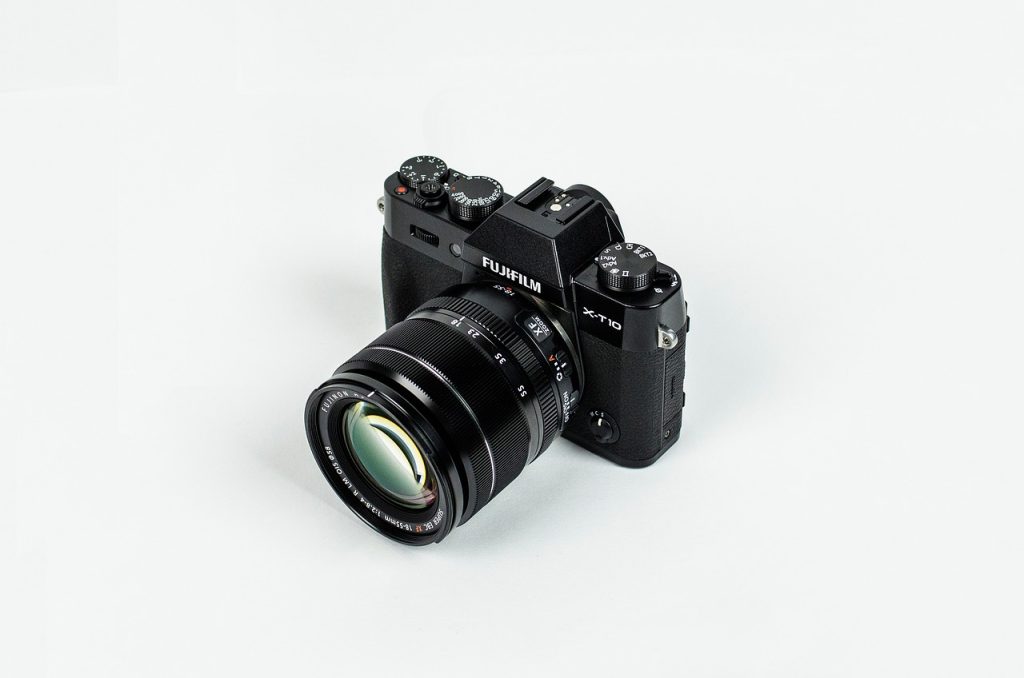
    · The Deliberate Co-Pilot (Fujifilm Cameras): A Fujifilm camera, with its physical dials for shutter speed and ISO, is a co-pilot that encourages manual, intentional control. It gives you direct access to the core functions of flight, making you a more skilled and engaged pilot. It’s for the person who enjoys the process of flying itself.
    · The “Just Get the Shot” Co-Pilot (Modern Smartphones): A Google Pixel or latest iPhone is a co-pilot that excels at handling the complex calculations for you. You point, you frame, and it ensures the technical outcome is brilliant. It’s perfect for the pilot who wants to focus purely on the destination (the moment) without worrying about the technicalities of the flight.
    · The “No-Nonsense” Co-Pilot (A ThinkPad Laptop): This co-pilot isn’t flashy. It has a fantastic keyboard (the primary control yoke), incredible reliability, and a no-distractions design. It’s built for long-haul flights through complex data and demanding workloads. It doesn’t chat much; it just does its job impeccably.

    The Trust Fall: Letting Your Co-Pilot Handle the Routine

    The final stage of this partnership is trust. You must learn to let your co-pilot handle the routine tasks so you can focus on the horizon.

    · Automate the Boring Stuff: Set up automated backups. Use smart album creation in your photo app. Create email filters. This is the equivalent of letting your co-pilot manage the cabin pressure and fuel mix. It frees you up to navigate, to make strategic decisions, and to enjoy the view.
    · Embrace the “Good Enough” Landing: Perfectionism is the enemy of a good partnership. Your co-pilot’s computational photo might not be “technically perfect” like a RAW file from a dedicated camera, but if it captures a fleeting, priceless moment with your family, it’s the perfect tool for that job. Don’t let the pursuit of ideal settings cause you to miss the shot entirely.

    The goal of the Co-Pilot Manifesto is to end the adversarial relationship. Your technology is not there to compete with you, distract you, or judge you. At its best, it’s a silent, capable partner that handles the underlying complexity, respects your command, and empowers you to go further and create more than you ever could alone. So, the next time you pick up your device, don’t just use it. Brief it. Partner with it. And together, create something remarkable.

  • The Digital Declutter: A Practical Guide to Taming Your Tech

    The Digital Declutter: A Practical Guide to Taming Your Tech

    We’ve all felt it: that low-grade hum of digital anxiety. The phone buzzing with notifications, the laptop desktop cluttered with forgotten files, the camera roll overflowing with thousands of unsorted photos. Our digital lives, meant to create order, have become a source of chaos. The solution isn’t a magical new app. It’s a systematic, practical process—a digital declutter. This isn’t about minimalism for its own sake; it’s about creating a digital environment that feels light, fast, and entirely under your control.

    Phase 1: The Ruthless Reckoning – Taming the Notification Beast

    The constant pinging is the number one source of digital stress. It’s like having a dozen people constantly tapping you on the shoulder. It’s time to reclaim your peace.

    · The “Why” Audit: Go to your phone’s notification settings. For every app, ask: “What valuable, time-sensitive information does this provide from a real person?” If the answer is “nothing” or “just promotions,” turn it off. Be merciless. The goal is to leave only the essentials: direct messages from family and close friends, and perhaps your calendar. Everything else is noise.
    · Embrace Scheduled Serenity: Use “Do Not Disturb” or “Focus Modes” not as an emergency measure, but as a default. Schedule it for your deep work blocks and your wind-down time in the evening. A quiet phone is a productive mind.

    A cluttered hard drive is a slow hard drive. A messy camera roll is a source of frustration. It’s time to delete with intent.

    · The “One-Touch” Rule for Your Camera Roll: This is a powerful method from productivity expert David Allen. Open your photo library. Start scrolling. For every photo, make a decision immediately: Delete, Keep, or Album.
    · Delete: Blurry shots, duplicates, failed experiments, and screenshots you no longer need.
    · Keep: The truly great shots that spark joy or hold important memories.
    · Album: Good photos that belong to a specific project or event (e.g., “Vacation 2023,” “Project X”). Move them into an album immediately.
    This prevents the overwhelming task of “organizing photos” and turns it into a series of simple, quick decisions.
    · The Desktop Zero Mandate: Your computer desktop is your workspace, not your storage unit. Create a simple folder structure: “Active Projects,” “Archives,” “Reference.” Then, move every single file off your desktop into its appropriate home. The psychological relief of a clean desktop is immediate and profound. It tells your brain, “You are in control.”

    Phase 3: The App Apocalypse – Quality Over Quantity

    Our devices are littered with apps we used once and forgot. They take up space, demand updates, and contribute to decision fatigue.

    · The Usage Test: Go through your phone’s app library. If you haven’t used an app in the last month, delete it. You can always re-download it later if you find a genuine need. The goal is to have a home screen that contains only your daily drivers.
    · Embrace the Browser: Do you really need a dedicated app for your bank, your news site, or a shopping portal? Often, the mobile website is just as good and doesn’t get to live rent-free on your device, cluttering your digital space.

    Phase 4: Systematize for the Future – Building a Maintenance Routine

    A one-time declutter is great, but the digital mess will always creep back. The final step is to build simple, sustainable habits to maintain your new-found clarity.

    · The Weekly Review: Every Friday afternoon, spend 15 minutes on digital housekeeping.
    · Clear your computer desktop and downloads folder.
    · Process and delete photos from the past week.
    · Check your notification settings for any new apps that might have slipped through.
    · The Cloud Conduit: Set up automated backups for your photos and important documents. Use a service like Google Photos or iCloud, but with a key rule: let it sync in the background, and then periodically use the “One-Touch” rule to curate what’s there. The cloud should be a streamlined pipeline, not a digital black hole.

    The Reward: Digital Breathing Room

    The goal of the digital declutter is not an empty phone or a barren laptop. It’s the feeling of lightness and control that comes when you open your devices. It’s the ability to find the file you need in seconds, not minutes. It’s the mental space that opens up when you’re no longer subconsciously tracking a dozen unread notification badges.

    Your technology should be a set of well-organized tools in a clean workshop, ready for you to build, create, and connect. By dedicating a small amount of time to this practical process, you can transform your digital life from a source of stress into a powerful, peaceful asset.

  • The Unseen Operating System: Rewriting the Code of Your Digital Habits

    The Unseen Operating System: Rewriting the Code of Your Digital Habits

    We spend endless hours debating the merits of iOS versus Android, Windows versus macOS. We treat these as fundamental choices, believing they define our digital experience. But this is a surface-level debate. Beneath the icons and interfaces lies a deeper, more powerful operating system that governs our digital lives: the OS of our own habits, reflexes, and unconscious behaviors. This internal OS, not the one on our devices, is the true source of our digital frustration or freedom. It’s time to stop tinkering with the settings and start rewriting the core code.

    This internal OS runs on silent, pre-installed programs. The “Infinite Scroll” daemon that activates the moment we feel a moment of boredom. The “Notification Urgency” protocol that makes every ping feel like a five-alarm fire. The “Multitasking Is Productivity” script that has us juggling tabs instead of completing tasks. We didn’t consciously install these programs; they were drip-fed to us through years of interacting with attention-hungry platforms. The result is a system that is buggy, inefficient, and perpetually overwhelmed.

    Debugging Your Internal Code: A Three-Step Process

    The first step is to become a developer of your own mind, to open the terminal and see what’s running in the background.

    1. Identify the Bloatware: For one week, carry a small notebook. Every time you pick up your phone or open a new browser tab without a clear purpose, jot it down. Don’t judge it, just observe. The goal is to audit your digital reflexes. You’ll likely find a handful of repetitive, low-value actions—checking a particular app, scrolling a specific feed—that constitute your mental bloatware. These are the first programs to target for removal.
    2. Write New Scripts with Ritual: You cannot simply delete a habit; you must replace it. This is where you write new, more constructive code. If your reflex is to open social media when waiting in line, the new script is: “When I feel bored and reach for my phone, I will open my notes app and jot down one creative idea instead.” If your habit is to check email first thing in the morning, the new script is: “When I open my laptop, the first program I launch is my writing software, and I will write for 25 minutes.” These are “if-then” rules for your behavior, simple scripts that override the old, buggy code.
    3. Install a Firewall of Friction: Your environment can run defensive programs for you. This is your firewall.
    · The Grayscale Firewall: Switching your phone to grayscale is a powerful script that drastically reduces the visual dopamine hit of colorful apps, making them less appealing.
    · The Physical Distance Protocol: Charging your phone outside the bedroom is a simple line of code that protects your sleep and your morning routine.
    · The Single-Tasking Kernel: Using full-screen mode for work or a distraction-free writing app is like booting your computer into a safe mode for focus, killing all non-essential processes.

    The Goal: A Lean, Intentional System

    A well-run internal OS is not flashy. It is calm, efficient, and purposeful. Its home screen is not cluttered with every app you’ve ever downloaded, but features only the tools for your core projects. Its notifications are silent, because it trusts that you will check for updates on your own schedule. It does not try to multitask, because it knows that true processing power is unleashed through deep, single-threaded focus.

    In this state, your external technology transforms. Your phone becomes a powerful communicator and camera, not a slot machine. Your laptop becomes a workshop for your ideas, not a multiplex of distraction. The device itself matters less, because you are no longer at the mercy of its default settings. You are the administrator.

    The ultimate upgrade path is not from an iPhone 15 to an iPhone 16. It is from an operating system of distraction and reaction to one of intention and creation. It’s a quiet, personal migration to a more stable build of yourself. Stop chasing the next version of a phone. Start compiling the best version of you.

  • The Tech of Enough: Resisting the Upgrade Treadmill

    The Tech of Enough: Resisting the Upgrade Treadmill

    We live in the golden age of the perpetual upgrade. A new smartphone is released, and suddenly, the one in your pocket feels sluggish. A new camera is announced, and your trusted shooter seems inadequate. This relentless cycle isn’t driven by genuine need, but by a sophisticated engine of marketing and manufactured desire. The most radical act in tech today is not buying the latest thing. It is declaring that what you have is, and will be for the foreseeable future, enough.

    This philosophy isn’t about asceticism or rejecting progress. It’s about reclaiming sovereignty over your wallet, your attention, and your creative energy. It’s the conscious choice to step off the treadmill and invest in mastery over novelty.

    The Psychology of the “Next Big Thing”

    The upgrade itch is a complex psychological phenomenon, expertly cultivated by the tech industry.

    · The Spec Sheet Mirage: We are sold a dream of transformative performance based on technical benchmarks. We’re told we need a faster processor, a higher-resolution sensor, more megapixels. Yet, for the vast majority of users, these improvements are marginal at best, invisible at worst. The leap from “excellent” to “slightly more excellent” is rarely perceptible in daily use, yet we’re convinced it’s essential.
    · The Social Currency of Newness: Our gadgets have become extensions of our identity. Carrying the latest model signals that we are current, successful, and on the cutting edge. This social pressure is a powerful driver, conflating self-worth with consumption in a way that is both financially and psychologically draining.

    The path to contentment begins with a ruthless, honest audit of your current setup. Ask yourself these questions:

    1. What is the specific, tangible limitation I am facing? Be brutally specific. “My laptop is slow” is vague. “It takes more than 30 seconds to boot up Photoshop and load a 500MB file” is specific. Is the problem the hardware, or is it a cluttered hard drive, too many background processes, or a need for a software reinstall?
    2. Does this limitation actually prevent me from doing meaningful work or enjoying my hobby? Often, the perceived limitation is a minor inconvenience, not a true roadblock. A camera with slightly slower autofocus might mean you miss one shot in a hundred. Is that worth a $2,000 upgrade?
    3. Have I truly mastered the tool I already own? Your current camera likely has dozens of features and custom functions you’ve never explored. Your laptop has powerful automation tools you’ve never used. The upgrade you seek might be hiding in the untapped potential of the device already in your hands.

    The Power of the “Last-Gen” Champion

    In the tech world, “previous generation” is unfairly synonymous with “obsolete.” This is a fallacy. In reality, buying a last-gen flagship is often the smartest financial and practical decision you can make.

    · The Value Proposition: A one or two-year-old flagship device offers 90% of the performance of the latest model for 50-60% of the price. The dramatic depreciation of tech works in your favor, allowing you to access premium quality at a fraction of the cost.
    · A Refined Product: Early adopters are beta testers. By the time a product is a generation old, its software is more stable, its common hardware issues are known and often fixed, and the ecosystem of accessories is mature and affordable.

    Finding Freedom in Limitation

    Paradoxically, embracing the limits of your current gear can be a massive creative catalyst. Constraints breed innovation.

    · The “One Lens, One Month” Challenge: If you’re a photographer, mount a single prime lens on your camera and use nothing else for a month. This limitation will force you to move your feet, see compositions differently, and master the unique character of that one piece of glass. You’ll become a better photographer not in spite of the constraint, but because of it.
    · The Joy of the Worn Tool: There is a unique satisfaction in a tool that shows the patina of use. The slight shine on your laptop’s trackpad, the smooth action of your camera’s dials—these are the marks of a journey. They tell a story that a pristine, out-of-the-box device cannot. This familiarity breeds a level of intuitive use that no new gadget can immediately provide.

    The True Cost of an Upgrade

    We calculate the cost of a new device in its price tag. But the real cost is often hidden in the mental and temporal overhead:

    · The Setup Tax: The hours spent transferring data, logging into accounts, reconfiguring settings, and re-learning minor UI changes.
    · The Adaptation Tax: The mental energy required to adjust to a new device’s quirks and workflows.
    · The Anxiety Tax: The low-grade stress of protecting a new, expensive possession from damage or theft.

    The Tech of Enough is a philosophy of intentional living. It’s the quiet confidence that comes from knowing your tools intimately, from squeezing every last drop of potential from them, and from understanding that the best camera, phone, or laptop is not always the one that was announced last week, but the one that reliably, joyfully, and capably helps you create your life, right here, right now. It is the realization that the ultimate upgrade isn’t a new piece of hardware, but the peace of mind that comes from being perfectly content with what you already have.

  • The Resilient Mind: Preserving Your Attention in an Age of Automated Distraction

    The Resilient Mind: Preserving Your Attention in an Age of Automated Distraction

    We have entered the third age of digital distraction. The first was the age of novelty, where notifications were a thrill. The second was the age of overload, where we drowned in a sea of pings and alerts. Now, we have entered the most insidious phase: the age of algorithmic engagement, where our devices no longer just interrupt us, but actively and intelligently work to keep us engaged. The battle for your focus is no longer a skirmish with a buzzing phone; it is a strategic war against some of the world’s most sophisticated AI, designed to exploit the vulnerabilities of human psychology. Building resilience is no longer a lifestyle choice—it is a necessary act of cognitive self-defense.

    The New Adversary: Engagement-Optimized Environments

    The enemy is not your device, but the economic model that underpins it. Your attention is the product being sold.

    · The Infinite Scroll: This isn’t a feature; it’s a carefully engineered exploit of the “Zeigarnik Effect”—our brain’s tendency to remember unfinished tasks. There is no natural stopping point, no closure. The “one more scroll” becomes a neurological compulsion, not a conscious choice.
    · Variable Rewards: Like a slot machine, our feeds deliver rewards (a funny video, an interesting post, a like) on an unpredictable schedule. This triggers a dopamine-driven feedback loop that is far more addictive than a predictable one. We’re not scrolling because we’re bored; we’re scrolling because we’re chasing the next hit.
    · The Illusion of Connection: Social platforms are designed to mimic social validation, triggering the same primal neural pathways as face-to-face interaction. A “like” is a cheap, scalable imitation of social approval, keeping us coming back for a sense of belonging that the platform itself is designed to fracture.

    Fighting algorithms requires strategy, not just willpower. You must build systems that protect your mind.

    1. Embrace Intentional Friction: Make distraction more difficult than focus.
    · Log Out, Every Time: After using a social media site, log out of your account. The extra step of having to type your password creates a moment of pause, forcing you to consciously decide to engage, rather than mindlessly tapping an icon.
    · The Grayscale Shift: Switch your phone’s display to grayscale. This single change drastically reduces the dopamine-releasing, stimulating effect of colorful app icons and vibrant videos. The world of your phone becomes less appealing, making it easier to put down.
    · Single-Purpose Devices: Rediscover the power of tools that do one thing. A dedicated e-reader for reading. A dumb notebook for notes. A film camera for photography. These devices have no notifications, no feeds, and no algorithms. They are sanctuaries for your focus.
    2. Curate Your Input Streams: You Are What You Consume
    · The “Unfollow” Revolution: Conduct a quarterly audit of who you follow. Does this account inform, inspire, or genuinely connect with you? If not, unfollow. Your feed should be a curated gallery of value, not a landfill of hot takes and sponsored content.
    · The “Why” Before “What”: Before you open any app, state your purpose aloud. “I am opening YouTube to watch that one tutorial.” “I am checking email for the project update.” This simple act of vocalizing intent snaps you out of autopilot and turns a compulsive tap into a conscious decision.
    3. Reclaim Your Time: Schedule Your Focus, Not Your Breaks
    · Time-Blocking for Deep Work: Instead of hoping for focus to strike, schedule it. Block out 2-3 hour chunks in your calendar for deep, uninterrupted work. During this time, your devices are in “Focus Mode,” and your digital workspace is cleared for a single task.
    · The Analog Sabbath: Designate one day a week—or a few hours each day—as an “Analog Sabbath.” This is not a digital detox born of frustration, but a scheduled, positive ritual of reconnection with the physical world. Read physical books, cook, walk, talk. This regular practice rebuilds your brain’s capacity for sustained attention and reminds you what you’re protecting your focus for.

    The Ultimate Goal: From User to Architect

    The resilient mind does not see technology as an inevitability to be endured. It sees it as a landscape to be designed. You are not a user trapped in a system; you are the architect of your own digital environment.

    The goal is not to reject technology, but to master it. To use its power for creation and connection, while immunizing yourself against its engineered compulsions. It is to reach a point where you can use these powerful tools with purpose and precision, and then set them aside without a second thought, your attention intact, your mind your own. In the 21st century, the final measure of personal freedom will not be what you can access, but what you can comfortably, and confidently, ignore.

  • The Tech Collaborator: From Passive Tool to Active Partner

    The Tech Collaborator: From Passive Tool to Active Partner

    We’ve moved beyond the era where technology was a simple tool. A hammer doesn’t suggest better ways to swing; a typewriter doesn’t autocorrect your prose. But our current devices are different. They are no longer inert implements. They are active, opinionated, and packed with computational intelligence. The next evolution in our relationship with them is not to use them better, but to collaborate with them more effectively. It’s time to stop being a mere user and start being a co-creator with the silicon-based intelligence in your pocket.

    From Command & Control to Conversation & Suggestion

    The old model was command-line thinking: we input a direct order and the machine executes it. The new model is a conversational loop. We state an intent, and the machine offers its capabilities to fulfill it.

    · The Suggestion, Not the Directive: Instead of manually adjusting every slider in a photo editor, you now tell your software, “Make this portrait warmer,” or “Bring out the details in the shadows.” The software interprets your creative intent and executes the complex adjustments. You are the director providing the creative vision; the AI is the cinematographer and color grader, handling the technical execution. This is a collaborative act.
    · The Co-pilot in Your Code Editor: A programmer is no longer just typing lines of code. Tools like GitHub Copilot suggest entire functions, spot errors in real-time, and comment on style. The programmer provides the overarching logic and architecture; the AI handles the boilerplate and routine syntax. This isn’t cheating; it’s collaborating, freeing the human mind to focus on higher-level problem-solving.

    True collaboration extends beyond a single device. Your phone, laptop, camera, and earbuds are no longer a collection of soloists; they are an orchestra, and you are the conductor.

    · The Invisible Handoff: Collaboration means the backstage work happens without a cue. You take a photo on your camera, and it’s automatically available on your phone for a quick edit and on your laptop for a final project. You start a podcast on your laptop, and your earbuds automatically switch to become the microphone. The devices are collaborating with each other to serve your unified creative goal, with you conducting the flow.
    · Context-Aware Intelligence: A collaborative device understands its role in the moment. Your phone knows that when it’s connected to your car’s Bluetooth, its primary job is navigation and audio, not displaying notifications. Your laptop, when it detects you are in a video call, can automatically enhance your lighting and blur your background. The technology is actively participating in setting the stage for your success.

    Cultivating a Collaborative Mindset

    To engage in this way requires a shift in our own behavior. We must learn to delegate to our digital partners.

    · Trust the Algorithm, Curate the Outcome: You don’t need to manually sort thousands of photos. Train your photo app’s AI to recognize the faces of your family and the types of shots you love (landscapes, macros, portraits). Then, let it surface the “Best of” reel for you. Your job is not to sort; it’s to curate and enjoy the final selection. You are the editor-in-chief, and the AI is your tireless research assistant.
    · Embrace the “Good Enough” First Draft: The fear of the blank page is a human problem. AI writing assistants can now generate a coherent first draft based on a few bullet points. The collaboration isn’t about the AI doing the writing for you; it’s about the AI breaking your creative paralysis. Your value is in refining, adding voice, nuance, and soul to the structural draft the machine provided.

    The New Division of Labor

    In this collaborative model, the division of labor becomes clear:

    · The Human Provides: Intent, intuition, ethics, creativity, strategic vision, and emotional intelligence.
    · The Machine Provides: Speed, scale, pattern recognition, data processing, precision, and tireless execution.

    The photographer composes the shot and waits for the perfect light; the camera’s AI ensures the focus is tack-sharp and the exposure is correct. The writer develops the narrative and the argument; the grammar AI ensures the clauses are parallel and the prose is clear.

    The goal is a symbiotic relationship where the whole is greater than the sum of its parts. Your technology is not a replacement for your skill; it is an amplifier of your intent. Stop treating your devices like simple tools. Start treating them like junior partners. Brief them on your goals, listen to their suggestions, delegate the tedious work, and focus your human brilliance on what truly matters: the vision, the connection, and the creativity that no algorithm can replicate. The future belongs not to those with the most powerful tech, but to those who learn to collaborate with it most effectively.

  • Your Digital Butler: Training Your Tech to Serve, Not Distract

    Your Digital Butler: Training Your Tech to Serve, Not Distract

    Imagine a world where your technology anticipates your needs. Your laptop dims its screen as the sun sets, your phone automatically silences itself when you open a book, and your camera’s settings are perfectly tuned to the golden light of a Saturday morning. This isn’t science fiction; it’s the art of training your tech to be less of a noisy appliance and more of a refined digital butler—a silent, efficient presence that enhances your life without demanding your constant attention.

    The modern device is a raw, untrained recruit, bursting with potential but lacking in decorum. It buzzes at inappropriate times, floods you with irrelevant information, and generally makes a nuisance of itself. The goal is not to use it less, but to train it better. To teach it your habits, your preferences, and your pet peeves, until it operates with such seamless intuition that you barely notice it’s there.

    Phase 1: The Interview – Defining the Job Description

    You wouldn’t hire a butler without a clear list of duties. The first step is a ruthless audit of what you actually need from your devices.

    · The Notification Purge: This is the butler’s first lesson in discretion. Go through every app on your phone and ask: “Does this alert require my immediate, actionable attention?” If the answer is no (and for 95% of apps, it is), revoke its speaking privileges. The only apps that should be allowed to make a sound or vibration are those delivering time-sensitive messages from real human beings. Everything else can wait for you in the notification center, to be reviewed at your leisure.
    · The Home Screen as the Main Foyer: Your phone’s home screen is the butler’s main hallway. It should be clean, organized, and contain only the tools you use daily. Every other app is a specialized piece of equipment that belongs in a cupboard (a folder) or the tool shed (the App Library). A cluttered home screen is a sign of a disorganized household.

    A good butler learns the master’s schedule. Your tech can do the same.

    · The Magic of Focus Modes: This is your butler’s most powerful tool. Don’t just use “Do Not Disturb” haphazardly. Create scheduled, contextual Focus Modes for different parts of your life.
    · Work Focus: Only Slack, Calendar, and key project apps can notify you. Your personal apps are silenced. Your computer desktop shows only work-related files.
    · Reading Focus: All notifications are silenced. Your phone’s screen dims and switches to grayscale to reduce its appeal.
    · Wind Down Focus: Scheduled for the hour before bed, this mode silences everything and can even hide your work email app entirely.
    By setting these schedules, you’re programming your butler to understand the rhythm of your day, so it can proactively manage your digital environment.
    · Automation: The Butler’s Silent Choreography: This is where your devices learn to work together without being told. Use tools like iOS Shortcuts or IFTTT to create simple automations.
    · “When I connect to my car’s Bluetooth, read out my messages and play my driving playlist.”
    · “When I start a Work Focus on my phone, also silence notifications on my laptop.”
    · “Every night at 2 AM, back up my phone’s new photos to my home server.”
    These are the digital equivalent of a butler drawing your bath at precisely 10 p.m. because he knows your routine.

    Phase 3: The Refinement – Cultivating a Sense of Presence

    The final stage of training is about teaching your tech to enhance your real-world experiences, not pull you out of them.

    · The Camera as a Discreet Chronicler: Your camera should be ready to capture a moment, not an obstacle to experiencing it. Pre-set your favorite film simulation or picture profile. Keep your battery charged and a memory card in the slot. A trained camera is one you can raise and shoot with in three seconds, capturing the moment without fumbling through menus. It’s a butler that hands you a pen without you having to ask, perfectly anticipating the need to sign a document.
    · The Laptop as a Dedicated Workspace: A well-trained laptop knows its primary purpose is creation. Use virtual desktops to create distinct workspaces: one for writing, one for research, one for communication. When you switch to the “Writing” desktop, only your writing app is open. This is the digital equivalent of a butler preparing a specific room for a specific activity, ensuring all the right tools are at hand and all distractions are removed.

    The Payoff: A Home That Runs Itself

    When your tech is properly trained, the effect is transformative. The constant, low-grade hum of digital anxiety fades away. You’re no longer managing your devices; they are managing the minutiae of your digital life for you.

    You get the peace of mind that comes from automated backups and a decluttered digital space. You get the creative freedom of a camera that feels like an extension of your eye. You get the deep focus of a laptop that actively protects your attention.

    The ultimate sign of success is when your technology feels boring. It’s not a source of excitement or frustration; it’s a reliable, almost invisible part of your life’s infrastructure. It’s a butler so competent, so attuned to your needs, that his presence is felt only in the smooth, quiet, and effortless functioning of your world. Stop fighting with your gadgets. It’s time to start training them.