Category: Reviews& Featured

Stop guessing—start knowing. We test and compare the latest digital devices to help you make smarter decisions. From camera specs to laptop performance, get clear, practical advice for your next tech purchase.

  • Beyond the Specs: Finding Your Flow in a World of Digital Overload

    Beyond the Specs: Finding Your Flow in a World of Digital Overload

    We live in an age of technological marvels, yet a pervasive sense of digital discontent lingers. Our pockets hold supercomputers, our cameras capture galaxies, and our laptops offer processing power that would have been unimaginable a decade ago. But amidst this abundance, a quiet question emerges: why do we so often feel less productive, less creative, and less present? The answer lies not in the specs of our devices, but in our relationship with them. The ultimate upgrade isn’t a faster chip; it’s a more intentional mindset.

    The Illusion of Productivity: Multitasking is a Myth

    We wear multitasking like a badge of honor, flitting between email, messaging, and work tasks with the frantic energy of a hummingbird. But neuroscience is clear: what we call multitasking is merely “task-switching,” and each switch carries a cognitive cost. Your brain must reorient itself, reload the context, and refocus, leading to mental fatigue and shallow work.

    The true path to deep, meaningful output is monotasking. It’s the radical act of doing one thing at a time with your full attention. This means:

    · Closing the Tab Tyrant: If you’re writing a report, your word processor should be the only thing on your screen. Every other tab—email, Slack, a random Wikipedia page—is a siren call waiting to wreck your focus.
    · Batching the Interruptions: Designate specific times for checking email and messages (e.g., 10 AM, 2 PM, 4 PM). Outside of those windows, close the apps and silence the notifications. You control the medium; don’t let it control you.

    Your digital workspace is an ecosystem. Just as a cluttered desk induces stress, a chaotic desktop or a phone bloated with unused apps creates cognitive noise. It’s time for a digital spring cleaning.

    · The One-Minute Rule: If you can delete an unused app, unsubscribe from a newsletter, or file a digital document in less than 60 seconds, do it immediately. This prevents small tasks from accumulating into a daunting chore.
    · The Analog Anchor: Never underestimate the power of a physical notebook. The act of handwriting a to-do list or sketching out an idea engages different parts of your brain and provides a tangible, distraction-free space for thinking. Your Moleskine has no notifications.

    The Right Tool for the Right Soul, Not Just the Job

    We often choose gear based on technical benchmarks, but the best tool is the one that inspires you to use it.

    · The Joyful Camera: A camera with perfect dynamic range is useless if it’s so bulky you never take it with you. Sometimes, the “worse” camera that fits in your pocket and is fun to use is the better choice, because you’ll actually create with it.
    · The Deliberate Laptop: Do you truly need a top-tier gaming laptop for writing and web browsing? Or would a lighter, longer-lasting, and more portable ultrabook bring you more daily joy and less shoulder strain? Match the tool to your actual lifestyle, not your aspirational one.

    Embrace Digital Sabbaths: The Power of Off

    The most powerful feature of any device is the “off” button. Regularly scheduled disconnection is not a retreat from modernity; it is an essential practice for maintaining a healthy perspective.

    · Reclaim Your Boredom: Schedule time to be bored. Take a walk without your phone. Sit in a park without a podcast. It is in these quiet, unstimulated moments that your brain makes its most creative connections and solves problems your conscious mind has been struggling with.
    · Reconnect with the Physical World: Cook a meal without looking at a screen. Tinker in a garden. Play an instrument. These analog activities provide a deep, tactile satisfaction that the digital world cannot replicate, grounding you in the here and now.

    The Final Analysis: Performance is a Feeling

    In the end, the most important metric for your technology is not its gigabyte count or its frame rate. It’s a feeling. Does this device leave you feeling energized or drained? Empowered or distracted? Does it feel like a seamless extension of your will, or a demanding, high-maintenance companion?

    The goal is to build a digital life that feels less like a constant stream of inputs and more like a curated gallery of tools, each chosen with purpose, each used with intention, and each put away with satisfaction. Stop chasing the specs. Start cultivating your flow.

  • The Tools That Disappear: A Manifesto for Technology That Serves, Not Distracts

    The Tools That Disappear: A Manifesto for Technology That Serves, Not Distracts

    The true test of any tool is not how often you use it, but how little you think about it. A hammer does not demand your attention when it’s hanging in the garage; it waits, silent and ready, for the moment you need to drive a nail. Our modern digital tools, by contrast, are like hammers that constantly buzz in our pockets, suggesting nails to be hammered, showing us videos of other people hammering, and reminding us that a newer, shinier hammer is now available.

    We have become connoisseurs of friction. We obsess over processor speeds that shave milliseconds off tasks, yet we willingly surrender hours to the infinite scroll of a social feed. We have forgotten a fundamental truth: the best technology should feel like an extension of our will, not an interruption of it. It’s time to curate tools that have the good manners to disappear when their job is done.

    The Tyranny of the Default and the Power of Choice

    We live our digital lives on tracks laid down by software engineers in Silicon Valley. The default settings—the endless notifications, the addictive pull-to-refresh mechanics, the algorithmically sorted feeds—are not designed for our well-being. They are designed for engagement, a euphemism for addiction. The first, and most radical, step toward technological maturity is to reclaim your settings menu.

    This goes beyond turning off banners. This is about a philosophical audit of every app on your phone. Ask not “What does this app do?” but “What does this app do for me?” Does your weather app need to send you a notification every morning, or can you simply look at it? Does your email need to be a live, unread-count badge of anxiety, or can it be a mailbox you check deliberately three times a day? Reject the premise that you must be always available, always informed, always “on.” Configure your devices to be tools for specific tasks, not slot machines for your attention.

    Our workspaces, both physical and digital, are cluttered with good intentions. The minimalist movement wasn’t just about aesthetics; it was about cognitive relief. Apply this to your technology.

    · The Blank Screen Home: Your phone’s home screen should not be a to-do list of app icons. It should be a blank canvas, a portal of possibility, or a single, beautiful photograph. Move every non-essential app into a folder on a secondary screen. The friction of having to swipe and search for time-wasting apps is often enough to break the unconscious habit of opening them.
    · The Full-Screen Mandate: When working, use your device in full-screen mode for a single application. Hide the dock, hide the menu bar. Let the tool you are using fill your entire field of vision. This simple act tells your brain, and your computer, that there is only one task at hand. It is a digital declaration of intent.

    The Joy of the Single-Purpose Machine

    In a world of technological convergence, there is immense power in divergence. The smartphone is a miracle of engineering, but it is a terrible master precisely because it is a jack-of-all-trades. It is a camera, a map, a newspaper, a casino, and a portal to your friends, all vying for the same sliver of your focus.

    Rediscover the profound satisfaction of the single-purpose device. The deliberate, slow process of shooting with a film camera, where every frame is a financial and creative commitment. The deep immersion of reading on an e-ink Kindle, a device that is blissfully terrible for anything else. The focused creativity of a music player that contains only your own curated library, free from algorithmic radio stations. These devices do not try to be everything. They excel at one thing, and in doing so, they command a presence and respect that our multifunctional rectangles have lost.

    The Final Metric: The Quality of Your Absence

    We must stop measuring our technology by its capabilities and start judging it by the quality of the absence it permits. The best piece of technology you own is the one that empowers you to close the lid, put it in a drawer, and walk away without a second thought.

    It is the device that serves your life so well that it gives you the confidence to be fully present in a conversation, to lose yourself in a book, or to simply sit and stare at the clouds without a nagging sense of digital FOMO. The ultimate goal is not a faster, smarter, more connected life. It is a richer, more focused, and more human one. Our tools should provide the silence in which our own thoughts can finally be heard.

  • The Attention Economy’s Antidote: Reclaiming Your Focus in a World Designed to Distract

    The Attention Economy’s Antidote: Reclaiming Your Focus in a World Designed to Distract

    We’ve outsourced our cognition. Our phones have become our memories, our calendars our sense of time, and our social feeds our sense of self-worth. We live in the “Attention Economy,” a marketplace where every app, notification, and platform is ruthlessly engineered to capture and monetize our focus. The constant pings and alerts aren’t glitches in the system; they are the system. The path to a saner digital life, therefore, isn’t better organization—it’s active rebellion.

    Your Brain on Defaults: The Trap of Passive Consumption

    Most of us use our technology with the factory settings intact. We accept the default notification settings, the pre-loaded apps, and the algorithmically-curated feeds. This is like walking into a casino and accepting every free drink shoved into your hand. You’re being played.

    · The Notification Purge (Beyond the Surface): You’ve turned off social media notifications? Good. Now go deeper. Disable badge icons (the red circles with numbers) entirely. This simple change breaks the psychological compulsion of “inbox zero” and severs the dopamine loop that keeps you checking. Unsubscribe from all promotional emails. Use a service like Unroll.me or Gmail’s native filters to automatically archive or delete them. Your attention is a fortress; stop leaving the gates wide open.
    · The Algorithmic Diet: You are not YouTube’s customer; you are its product. The “Up Next” autoplay and the endless scroll of the homepage are designed to maximize your “watch time,” not your well-being. Actively fight back. Use the “Not Interested” and “Don’t Recommend Channel” functions aggressively. Search for specific, educational content. Turn off autoplay. You must train the algorithm to serve your interests, not its own. The goal is to make your digital spaces feel like a curated library, not a slot machine.

    Willpower is a finite resource. The most effective way to protect your focus is to redesign your environment so that distraction requires more effort than concentration.

    · The Single-Purpose Device Revolution: The greatest feature of a dedicated e-reader like a Kindle is its slowness and lack of functionality. It is a walled garden for reading, and its limitations are its strengths. Apply this principle elsewhere. Can an old laptop, wiped clean and installed only with your writing software, become your “distraction-free writing station”? Can your smartphone be left in another room during deep work, with a dumb phone handling actual urgent calls? Create friction for distraction and frictionless paths for focus.
    · The Physical-Digital Barrier: The most powerful tool in your productivity arsenal might be a $5 physical notebook. The act of writing down a to-do list or brainstorming with pen and paper creates a tangible, focused task that is immune to the siren call of multitasking. It forces linear thought and prevents the tab-hoarding chaos of digital research. Use a physical calendar for your most important weekly goals. The act of writing it down makes it more real than any digital reminder.

    The Ritual of Reconnection: From Digital Consumer to Analog Creator

    The antidote to passive consumption is active creation. And the most restorative forms of creation often exist outside the digital realm.

    · Scheduled Boredom: Block out time in your calendar for absolutely nothing. No podcasts, no music, no scrolling. Go for a walk without your phone. Stare out a window. It is in these moments of “boredom” that your brain consolidates information, makes novel connections, and sparks genuine creativity. This is not wasted time; it is the incubation period for your best ideas.
    · The Hobby With No Digital Shadow: Cultivate a hobby that produces a physical, tangible result and has no online community, leaderboard, or optimization strategy. Woodworking, gardening, pottery, or learning a musical instrument. The satisfaction derived from shaping physical matter with your hands provides a profound sense of accomplishment that the digital world, with its likes and shares, can never replicate. It grounds you in a reality that is slower, more tactile, and inherently human.

    The New Metric for Tech

    We must stop evaluating our technology by its specs and start judging it by the quality of attention it permits. The best piece of technology in your life is not the one with the highest resolution screen, but the one you can confidently put away for hours at a time. The most sophisticated digital system is the one that empowers you to close all the apps, shut the lid, and be fully, unreservedly present in the messy, beautiful, and gloriously analog world right in front of you. Your focus is your most valuable asset. It’s time to start defending it like your life depends on it.

  • The Analog-Digital Hybrid: Why the Best System Has an Off Switch

    The Analog-Digital Hybrid: Why the Best System Has an Off Switch

    We’ve spent years optimizing our digital workflows, chasing seamless integration and instant access. But a new, counterintuitive truth is emerging from the most productive and creative circles: peak performance isn’t about being always-on; it’s about mastering the art of being strategically off. The most sophisticated personal ecosystem isn’t fully digital—it’s a deliberate, thoughtful hybrid of the analog and the electronic.

    The Cognitive Tax of Constant Connectivity

    Every notification, every unread badge, every decision about which app to open next imposes a tiny “cognitive tax” on your brain. This isn’t just a metaphor; it’s a measurable drain on your attentional resources. The goal of the hybrid system is to declare bankruptcy on this tax by building deliberate firebreaks into your day.

    · The Paper Dashboard: For complex projects or creative brainstorming, the infinite canvas of a digital screen can be paralyzing. The constraints of a physical notebook or a wall of index cards are liberating. You can’t endlessly rearrange with a click, forcing you to think linearly and commit to ideas. The act of writing by hand engages the brain’s reticular activating system, cementing information more deeply than typing. Your Moleskine isn’t a relic; it’s your project’s command center, immune to pop-ups and software crashes.
    · The Tactile Timer: The digital Pomodoro timer on your phone is a trap. To start it, you pick up your phone—the very source of distraction. A simple, mechanical kitchen timer is a purpose-built tool that performs one function perfectly. The loud, physical click as you turn the dial is a powerful ritual that signals the start of focused work. There’s no screen to check, no other apps lurking.

    The hybrid approach rejects the “do everything on one device” model. It assigns specific tasks to specific tools, creating psychological boundaries that protect your focus.

    · The E-Reader Rebirth: Your laptop and phone are factories of interruption, designed to pull you in a dozen directions. A dedicated e-ink reader, however, is a sanctuary for deep reading. It’s slow, monochrome, and terrible for anything but reading. This is its greatest strength. By removing the possibility of checking email or diving into a research rabbit hole, it allows you to become fully immersed in a text. The book remains the greatest information-delivery technology ever invented, and the e-reader is its pure digital descendant.
    · The Dumbphone Pocket: The most powerful productivity hack for your smartphone might be a cheap, prepaid “dumbphone” for evenings and weekends. This isn’t about rejecting technology, but about compartmentalizing it. The dumbphone handles calls and texts. Your smartphone, left at home on its charger, becomes a powerful workstation you visit during designated hours, not a constant companion. This physical separation is the ultimate boundary.

    Curated Connection in an Always-On World

    The hybrid model doesn’t mean becoming a Luddite. It means using digital tools with precision, not as blunt instruments.

    · Scheduled Synchronization: Instead of having your devices in constant, real-time sync, schedule it. Let your photos sync once a day, in the background. Let your documents update on a schedule. This breaks the compulsive need to check if everything is everywhere all at once. Your digital ecosystem should feel like a well-run library, not a stock exchange floor.
    · The Single-Purpose Device: Embrace devices that do one thing well. A digital camera for photography. A recorder for voice memos. A music player for songs. These devices have no notifications, no social feeds, no “infinite scroll.” Using them is a meditative act that reconnects you with the pure joy of the task itself, free from the platform’s demand for your perpetual engagement.

    The Rhythm of Renewal: Why Downtime is a Feature, Not a Bug

    The ultimate purpose of the analog-digital hybrid is to create a natural rhythm in your life—a tide of engagement and disengagement that prevents burnout and fuels creativity.

    · The Digital Sunset: Impose a hard stop on your digital workday. This isn’t just closing your laptop; it’s the physical act of moving it to another room and powering it down. The ritual of shutting down the machine is a powerful signal to your brain that work is over. The analog evening begins.
    · The Hobby That Doesn’t Have a Leaderboard: Cultivate a hobby that is inherently analog and has no digital component: woodworking, gardening, painting, playing a musical instrument. These activities provide a profound sense of accomplishment that is measured in physical reality, not in likes or completion percentages. They are the ultimate reset for a brain frazzled by the digital world.

    The future of personal productivity isn’t a faster chip or a smarter algorithm. It’s a more intelligent interface between our minds and our machines. It’s a system that knows when to be silent, a tool that knows when to get out of the way. The most powerful upgrade you can make is to build a life where your technology serves you so well that you can regularly, and without guilt, leave it all behind.

  • Your Tech, Your Co-Pilot: Redefining the Tools of Creation

    Your Tech, Your Co-Pilot: Redefining the Tools of Creation

    We spend countless hours debating specs, yet we rarely stop to ask the most fundamental question: what is the actual purpose of this technology in my life? Our devices are not ends in themselves; they are conduits for creation, connection, and comprehension. The shift from being a passive consumer of tech to an intentional architect of your digital life begins with a simple but profound reframing: your devices are not your masters, nor are they your hobbies. They are your co-pilots.

    From Specs to Purpose: Choosing Tools for the Job You Actually Do

    The marketing tells you that you need a laptop that can render a 4K film in three minutes. But if your primary “rendering” is compiling a monthly sales report and battling a hundred browser tabs, that power is squandered. True tool selection starts with ruthless self-assessment.

    · The “Daily Driver” Diagnosis: Track your computer use for a week. What applications are actually running all day? Is it Slack, Chrome, and Excel? Or is it Adobe Premiere, Blender, and a code compiler? For the former, your money is best spent on a fantastic keyboard, a crisp screen, and enough RAM to prevent tab-apocalypse—not a top-tier GPU. For the latter, invest in the engine under the hood. The right tool isn’t the most powerful one; it’s the one that perfectly matches the friction points in your daily workflow.
    · The Camera as a Statement of Intent: Are you documenting a child’s life, building a professional portfolio, or exploring a creative passion? The best camera for you is the one that aligns with your output. A parent needs speed, simplicity, and durability (a smartphone or a rugged compact). A professional needs quality, flexibility, and reliability (a robust mirrorless system). A hobbyist needs inspiration and fun (a film camera or a model with unique colors). Your camera should solve a creative problem, not create a financial one.

    The Co-Pilot Dynamic: Setting the Rules of Engagement

    A good co-pilot doesn’t randomly flip switches or yell unnecessary warnings. You need to program your digital co-pilots to support your mission.

    · The Notification Protocol: Very few notifications require immediate, real-time attention. Establish a protocol. Critical alerts (family, key clients) can break through. Everything else—news, social updates, promotions—is relegated to a scheduled “status check.” You, the pilot, decide when to review the incoming data stream. This single change reclaims cognitive bandwidth more effectively than any processor upgrade.
    · The Focused Workspace: Your laptop’s desktop and your phone’s home screen are your cockpits. They should be clean, organized, and configured for takeoff. Group apps into folders by function (“Communication,” “Finance,” “Creative Tools”). Remove the apps you use to passively kill time. Your cockpit should contain only the instruments needed for the journey, minimizing distraction and decision fatigue before you even begin.

    The ultimate goal is to create a system where the technology actively facilitates a state of creative flow. This is where the co-pilot truly earns its keep.

    · The Instant-On, Always-Ready Mandate: Your primary devices should be like a well-maintained instrument: ready to perform the moment you are. This means avoiding the clutter and background processes that lead to slowdowns. It means having a reliable, automated backup system so you never have to think about losing your work. The peace of mind that comes from knowing your system is robust and reliable is a feature no spec sheet can quantify.
    · The Interruption Buffer: Your co-pilot system should help you manage the outside world so you can focus. Use automated email responses, calendar blocks labeled “Deep Work,” and communication statuses (“Focusing, will respond by EOD”) to manage expectations. You are training the world to respect your creative time, and using your tech to enforce those boundaries.

    The Final Calculation: Performance Versus Presence

    The most sophisticated piece of technology in your life is your own attention. The final metric for judging your tools is not how many frames per second they can process, but how well they protect your capacity for deep, meaningful work.

    Does this device help me be more present in my work? Does it help me be more present with the people I care about? Or does it fragment my focus and pull me in a dozen different directions?

    The perfect setup, therefore, is the one that you use intensely for creation and then can walk away from completely, without a second thought. It empowers you to do the work that matters and then fades away, allowing you to be fully human, fully present in a world that isn’t made of pixels. Your tech’s ultimate success is measured by how little you’re forced to think about it.

  • The Sustainable Tech Loop: How to Love Your Gear Longer and Doomscroll Less

    The Sustainable Tech Loop: How to Love Your Gear Longer and Doomscroll Less

    We’re sold a story of perpetual newness. The latest model promises salvation from our digital frustrations. But the most radical—and satisfying—act in tech today is to break this cycle. It’s not about austerity; it’s about building a more intelligent, personal, and sustainable relationship with the tools that shape our lives. Welcome to the art of the long-term relationship with your gadgets.

    The Seven-Year Phone: A Thought Experiment in Durability

    Imagine not wondering what comes after the “S24” or “iPhone 16.” Imagine a device that remains performant, repairable, and personally valuable for seven years. This isn’t a fantasy. It’s a choice, built on three pillars:

    1. The Case for Repairability: The most eco-friendly phone is the one you already own. Shift your purchasing criteria. Instead of just camera specs, prioritize brands that champion repairability, like Fairphone or frameworks. A cracked screen or a tired battery should be a minor, fixable event, not a terminal diagnosis. Learning to replace a battery yourself is a modern life skill more valuable than knowing the latest processor name.
    2. Software as a Longevity Tool: A phone doesn’t become obsolete when its hardware fails; it becomes obsolete when it no longer receives security updates. Support companies that promise long software support cycles. This is the silent, unsexy feature that truly determines a device’s lifespan. An older, secure phone is wiser than a new, vulnerable one.
    3. The Mindset of Curation, Not Consumption: Your phone’s home screen should be a sacred space. Every app is a guest you’ve intentionally invited. Every notification is a servant bringing urgent news. This rigorous curation reduces the “software bloat” that makes us feel our hardware is slowing down. A lightly loaded, well-cared-for device can feel fast for years longer than a cluttered one.

    The “new in box” experience is overrated. The true savvy lies in the curated second-hand market.

    · The Pro-Level Laptop Hunt: Buying a two-year-old flagship business laptop, like a Dell Latitude or a Lenovo ThinkPad, is one of tech’s greatest secrets. These machines were built to withstand the rigors of corporate life, are often leased and then sold off in bulk, and can be found for a fraction of their original price. They offer a level of durability and performance that consumer-grade laptops simply can’t match.
    · The Legacy Camera as a Teacher: Instead of the latest mirrorless camera, consider a well-maintained model from two generations ago. The image quality will be 95% as good for 50% of the price. More importantly, its limitations—slower autofocus, lower resolution—will force you to focus on the fundamentals of composition and light, making you a better photographer.

    The Ecosystem of One: Building a System That Serves Only You

    The ultimate goal is not to be locked into a brand’s ecosystem, but to build your own. This is a system of habits, tools, and workflows that is entirely personal and resilient to any single device’s failure.

    · Your Data is Your Kingdom: Use cloud services not as a brand-locked trap, but as a neutral territory for your data. Your photos should be accessible from any device, not held hostage by a single company’s walled garden. Your documents should live in a service that allows you to leave at any time. You control the keys.
    · The Analog Override: Build intentional, tech-free rituals into your creative and productive process. Use a paper notebook for first drafts. A whiteboard for brainstorming. A film camera for a personal project. These analog tools are not just backups; they are “reset buttons” that prevent creative stagnation and remind you that the most important tool is your own mind.

    The End of the Upgrade Itch

    The feeling of “needing” an upgrade is rarely about the hardware. It’s often a misdiagnosis of a software problem (clutter, disorganization), a skill problem (not knowing how to use your current tools), or a psychological problem (boredom, the desire for novelty).

    The next time the itch arises, perform an audit:

    · Digital Declutter: Have you reinstalled your operating system or done a deep app clean-out recently? A fresh software start can feel like a new machine.
    · Skill Audit: Are you using every feature of your current camera? Have you mastered the shortcuts in your editing software? Often, the power you seek is already in your hands.
    · Intentional Use: Are you using your tech with purpose, or is it using you?

    The most powerful, sustainable, and personally fulfilling piece of technology you can own is not the one being announced next Tuesday. It’s the one you already have, deeply understood, meticulously maintained, and wielded with intention. It’s the device that has your scars, your data, and your workflow etched into its very being. That’s a relationship no upgrade can replace.

  • The Upgrade Paradox: Why the Best Gear is the Gear You Stop Noticing

    The Upgrade Paradox: Why the Best Gear is the Gear You Stop Noticing

    We live in the golden age of the spec sheet. We can recite processor clock speeds, sensor sizes, and nit ratings like sacred texts. We chase the next product launch, convinced the key to better photos, greater productivity, or ultimate contentment lies in a box with a new serial number. This is the Upgrade Paradox: the relentless pursuit of better tools that often leaves us feeling more distracted and less capable than before.

    The true hallmark of a well-chosen, well-integrated piece of technology is not that it demands your attention, but that it disappears. It becomes an extension of your intent, a seamless conduit between thought and action. The goal is not to own the most powerful tech, but to achieve a state of flow where the tech itself fades into the background.

    The Illusion of the Silver Bullet

    No camera, no matter how many megapixels it boasts, can compose a photograph for you. It can only capture the vision you bring to it. The photographer’s eye—the ability to see light, shape, and moment—is the irreplaceable core of the craft. A new camera might offer more resolution for cropping or better performance in low light, but it cannot gift you creativity. It can only reflect the skill you already possess.

    Similarly, the most expensive laptop cannot write a novel, design a brand, or code an elegant piece of software. It can compile code faster or render video quicker, shaving minutes off a tedious process. But the core work—the logic, the narrative, the aesthetic judgment—remains a deeply human endeavor. The tool executes; the mind creates. Chasing hardware as a substitute for skill is a race you can never win.

    So, what does “invisible” technology look and feel like in practice?

    · It’s Instantly Responsive. There is no lag between your click and the action, no waiting for an app to stutter to life. This preserves your train of thought and maintains the state of flow. The hardware keeps up with the speed of your ideas.
    · Its Ecosystem is Frictionless. The act of moving a file from your camera to your phone to your laptop isn’t a multi-step chore involving cables and cloud menus; it’s a single, fluid motion. Your devices form a cohesive unit, not a collection of isolated gadgets.
    · It Serves Your Workflow, Not the Other Way Around. You don’t have to contort your creative or productive process to fit the limitations of your tools. The technology adapts to you, with intuitive interfaces and interoperable software that feels like a natural extension of your will.

    Cultivating Intentional Obsolescence

    The antithesis of the upgrade cycle is intentional obsolescence. This doesn’t mean using broken, slow technology out of some misguided sense of purism. It means making a conscious, strategic decision: I will not upgrade until my current tool is actively preventing me from achieving my goals.

    Ask yourself the following questions before your next purchase:

    · Is my current device broken, or is it just old?
    · What specific, tangible limitation am I facing that a new device will solve?
    · Am I seeking a performance boost, or just the dopamine hit of something new?

    Shift your investment from hardware to software. Instead of buying a new laptop, invest in a course that teaches you to use your current design software to its full potential. Instead of a new camera, invest in a photography workshop or a trip to a location that will inspire you. Upgrade your skills, and your existing tools will suddenly feel new, revealing capabilities you never knew they had.

    The Endgame: From Consumer to Creator

    The ultimate freedom in our hyper-connected world is the freedom to focus. The quietest, most powerful piece of technology is the one that empowers you to forget it’s even there. It gets out of the way, allowing you to become fully immersed in the act of creation—whether you’re writing code, editing a film, crafting an email, or simply being present with loved ones.

    Stop evaluating your setup based on its specs. Start evaluating it based on the silence it affords you, the focus it enables, and the work it allows you to produce. The perfect device isn’t the one with the highest score on a benchmark test. It’s the one you use to do something meaningful, and when you’re done, you realize you never once thought about the device itself. That is the end of the upgrade cycle. That is digital maturity.

  • Digital Zen: Taming the Tech Tornado for a Saner, More Focused You

    Digital Zen: Taming the Tech Tornado for a Saner, More Focused You

    You’ve done it. You’ve built a seamless, inter-connected tech web. Your photos fly from camera to cloud, your messages dance between phone and laptop, and your workflow is a thing of beauty. But there’s a new, more insidious problem: the constant, low-grade hum of digital noise.

    Your beautifully synchronized devices are now perfectly equipped to bombard you with notifications, updates, and an endless stream of “content.” The goal now is not to do more, but to do better. It’s time to move from efficiency to intentionality. Welcome to the art of Digital Zen.

    Part 1: The Notification Purge – Reclaiming Your Attention

    Your attention is the most valuable currency in the 21st century, and every app is trying to rob you blind. It’s time to install a security system.

    The Triage Technique:

    · The “Why Are You Even Here?” Audit: Go to your phone’s notification settings. For every app, ask yourself one brutal question: “Does this app’s notification genuinely serve me, or does it serve the app’s company?” Be merciless.
    · The Three Buckets:
    1. Essential: Messages from real humans (WhatsApp, iMessage), calendar alerts, authenticator apps. These get to make sound and buzz.
    2. Informational: News apps, bank alerts, shipping updates. These get to appear silently in your notification center. You’ll check them on your time.
    3. Banished: Social media “likes,” game invites, promotional emails, anything from a “news digest.” These get turned off. Completely.
    · Schedule Your Interruptions: Use “Do Not Disturb” or “Focus Modes” not as an emergency measure, but as a default state. Schedule it for your deep work hours. Let only your “Essential” bucket break through. Your brain will thank you for the uninterrupted stretches of focus.

    You are what you eat, and that includes the digital content you consume. A diet of junk food and outrage will make your mind sluggish and anxious.

    The Unfollow & Unsubscribe Revolution:

    · Social Media Spring Cleaning: Go through the accounts you follow on Instagram, Twitter, or TikTok. Does following this person make you feel inspired, informed, or genuinely connected? Or does it make you feel inadequate, angry, or like you’ve just wasted 20 minutes scrolling mindlessly? Unfollow. Aggressively. Your feed should be a gallery of value, not a trash fire of comparison.
    · The Inbox Liberation: That promotional email from a store you bought one thing from three years ago? Unsubscribe. The “weekly digest” you never read? Unsubscribe. This isn’t just inbox zero; it’s a declaration that your mental space is not a billboard. Use tools like Unroll.me or the native “unsubscribe” link in Gmail. A clean inbox is a calm mind.

    The Algorithm Taming:

    · Tell YouTube What You Really Want: Your YouTube homepage is a vortex. Train it. Actively search for and watch content that aligns with your hobbies and goals—photography tutorials, deep-dive documentaries, language lessons. Use the “Not Interested” and “Don’t Recommend Channel” features liberally. Force the algorithm to work for you, not its own engagement metrics.

    Part 3: The Analog Anchor – Why Your Best Ideas Won’t Come From a Screen

    The most powerful tool in your productivity arsenal might be one that doesn’t need a charger.

    The Moleskine Mandate:

    · The Cognitive Offload: Buy a nice notebook. The act of writing by hand engages your brain differently than typing. Use it for:
    · Morning Pages: Three pages of longhand, stream-of-consciousness writing first thing in the morning to clear the mental cobwebs.
    · Big Idea Brainstorming: Mapping out a project on paper feels more free and creative than being confined by the linear structure of a word processor.
    · Meeting Notes: You’ll be more present and retain more than if you were just transcribing on a laptop.

    The Pomodoro Pilgrimage:

    · Work With Time, Not Against It: The Pomodoro Technique is simple: 25 minutes of focused work, followed by a 5-minute break. After four cycles, take a longer break.
    · The Magic Ingredient: During that 5-minute break, you must get away from all screens. Stretch. Look out the window. Walk around. Make a cup of tea. This isn’t slacking; it’s allowing your brain to consolidate information and return refreshed. It prevents burnout and makes 25 minutes of focus more productive than 2 hours of distracted “work.”

    Part 4: The Digital Sanctuary – Building Tech-Free Zones

    If your devices are always within reach, you’re always at work. It’s time to create boundaries.

    The Bedroom Ban:

    · The Charging Station Sanctuary: Buy an alarm clock. A real, physical, one-button alarm clock. Then, banish your phone and laptop from the bedroom. Create a charging station in your living room or kitchen.
    · The Payoff: Your bedroom becomes a place for sleep and relaxation, not for last-minute emails or endless scrolling. The blue light from screens disrupts your sleep cycle, and the psychological toll of bringing the stresses of the day into your bed is immense. This single change can improve your sleep and your mental health dramatically.

    The “Airplane Mode” Walk:

    · The Modern Luxury: The next time you go for a walk, leave your phone at home. Or, if that induces too much anxiety, put it in Airplane Mode. Just walk. Observe your surroundings. Let your mind wander. The goal is to experience the world directly, not through a screen or a pair of headphones. It’s in these moments of boredom that creativity often sparks.

    The Final Word: From User to Conductor

    The journey from a tech consumer to a digitally zen individual is the ultimate upgrade. It’s not about rejecting technology, but about mastering it. It’s about shifting from being a user—a passive recipient of whatever the tech world throws at you—to being a conductor, intentionally orchestrating your tools to enhance your life, not dominate it.

    Your devices are incredible. They can connect you, create with you, and inform you. But they must know their place. That place is in your service, on your schedule, and for your purpose. Now, go forth and be the calm, focused, intentional conductor of your own digital symphony. The silence, and the space to think, will be your greatest reward.

  • The Digital Trinity: Weaving Your Camera, Phone, and Laptop Into a Seamless Workflow

    The Digital Trinity: Weaving Your Camera, Phone, and Laptop Into a Seamless Workflow

    You’ve mastered your individual gadgets. Your camera is no longer a mystery box, your phone is a productivity powerhouse, and your laptop is a temple of efficiency. Bravo! But now, we face the final boss of personal tech: making them all work together.

    Left to their own devices, they’re like brilliant but bickering siblings. The goal is to turn them into The Avengers—a superhero team where each member’s strengths cover the others’ weaknesses. Let’s build your personal command center.

    Part 1: The Creative Engine – From Shot to Share, Seamlessly

    The journey of a single photo from your camera to your friend’s screen should be a graceful ballet, not a clumsy relay race involving a spaghetti-tangle of cables.

    The Wireless Bridge: Ditch the Cables Forever.

    · The Modern Way: Most modern cameras (mirrorless and advanced compacts) have built-in Wi-Fi and Bluetooth. This isn’t just a checkmark on a spec sheet; it’s your golden ticket.
    · The “Oh, So That’s How It’s Done” Trick: Use your camera’s companion app (like Canon’s Camera Connect, Sony’s Imaging Edge Mobile, or Fujifilm’s Cam Remote). Pair your camera with your phone once, and from that moment on, you can:
    1. Transfer Photos Instantly: See a shot you love on your camera’s LCD? Fire up the app on your phone, select the image, and transfer a high-res copy to your phone in seconds. No more fumbling for cables or card readers.
    2. Remote Control Your Camera: Want a group photo without the “hurry up and set the timer and run” panic? Use your phone as a remote viewfinder and shutter release. Perfect for tripod shots, long exposures, or vlogging.
    3. Geotag Your Masterpieces: Your phone is constantly tracking your location. Use the app to sync that GPS data to your photos. Now, you’ll not only remember what you shot, but exactly where you shot it.

    The Cloud Conduit: Your Personal Digital River.

    Once the photo is on your phone, the real magic begins. Don’t let it stagnate there.

    · The Set-and-Forget System: Enable automatic photo uploads to a cloud service like Google Photos, iCloud, or Dropbox. The moment you transfer that photo from your camera to your phone, it automatically starts syncing to the cloud and, consequently, to your laptop.
    · The “Why This is a Game-Changer” Moment: You’re out shooting landscapes. You take a few shots, transfer your favorites to your phone while still on location, and put your camera away. By the time you get home and open your laptop, those very same photos are already waiting for you in a neatly organized folder on your desktop, ready for editing. The workflow is continuous and effortless.

    Your phone shouldn’t be a distraction when you’re working on your laptop; it should be an amplifier.

    The Notification Nexus:

    · The “Focus” Filter: Both macOS and Windows 11 have deep integration with your phone. Link your iPhone or Android device and use the “Focus” or “Do Not Disturb” modes synchronously. When you set your laptop to “Deep Work” mode, your phone automatically silences non-essential notifications too. One setting, two devices, zero interruptions.

    The Texting Sidekick:

    · Stop Picking Up Your Phone: Did you know you can send and receive SMS messages directly from your laptop?
    · On Mac: It just works with iMessage and your iPhone. Seamlessly.
    · On Windows: Use the “Phone Link” app to connect to your Android or iPhone. You can send texts, see notifications, and even make calls right from your desktop.
    · The Productivity Payoff: You’re writing an email on your laptop, a text comes in, and you reply without ever breaking your typing flow or losing focus. This single trick saves a shocking amount of mental energy over a day.

    Part 3: The Productivity Power-Up – The Laptop as Mission Control

    Your laptop is the brain of the operation. Here’s how to make it the central nervous system for all your devices.

    The Clipboard of the Gods:

    · The “How Did I Live Without This” Feature: Universal Clipboard. If you’re in the Apple ecosystem, you can copy a paragraph of text, a photo, or a video on your iPhone and simply press Cmd+V to paste it directly into a document on your Mac. The same exists for Windows and Android with apps like Phone Link. It feels like witchcraft. Need to send a document from your laptop to your phone? Just drag the file to your phone’s icon. Done.

    The Second Screen Sorcery:

    · Your iPad or Tablet Isn’t Just for Netflix: If you own a tablet, stop letting it gather dust. Use Sidecar (for Mac/iPad) or Second Screen (for Windows) to turn it into a wireless, high-quality second monitor for your laptop.
    · The Practical Magic: Drag your email or Slack to the tablet screen, and keep your main laptop display for your actual work. Or, when editing photos, put your tools and palettes on the tablet and have a clean, full-screen image on your laptop. It’s a portable, powerful desktop setup that fits in your backpack.

    The Central Brain: Note-Taking and Task Management

    · One Source of Truth: Choose a note-taking app that syncs flawlessly across all devices—Evernote, Notion, Apple Notes, or OneNote. This becomes your digital brain.
    · The Real-World Flow:
    1. You’re out with your camera and have a creative idea. You jot it down in the app on your phone.
    2. Later, at a café, you open your laptop, and the note is already there. You expand it into a full project plan.
    3. You take a reference photo with your camera, transfer it to your phone, and it auto-uploads to the cloud, where you then drag it into your note on your laptop.
    Every device is playing its perfect role in a harmonious cycle of creation.

    The Final Word: Symphony, Not Solo

    The ultimate tech flex in 2024 isn’t having the newest, most expensive gadget. It’s having a setup so fluid, so intuitive, and so well-integrated that the technology itself fades into the background.

    Stop seeing your camera, phone, and laptop as three separate islands. See them as three instruments in an orchestra. Individually, they can make noise. But when conducted with purpose and connected by the invisible threads of modern software, they can create a symphony. Stop upgrading your hardware for a minute, and start upgrading your workflow. You’ll be amazed at the masterpiece you can create.

  • Beyond the Box: Stop Chasing New Tech and Fall in Love With What You Own

    Beyond the Box: Stop Chasing New Tech and Fall in Love With What You Own

    So, you’ve navigated the tech-buying gauntlet and emerged victorious, shiny new gadget in hand. Congratulations! But here’s a dirty little secret the industry doesn’t advertise: Unboxing is the easy part.

    The real challenge—and the real joy—begins after you’ve peeled off that satisfying plastic film. Most of us use about 10% of our device’s potential, treating a Ferrari like a grocery-getter. It’s time to change that. Let’s dig into how to make your camera, phone, and laptop not just tools, but partners in crime.

    Part 1: Your Camera – From Auto-Mode Amateur to Creative Commander

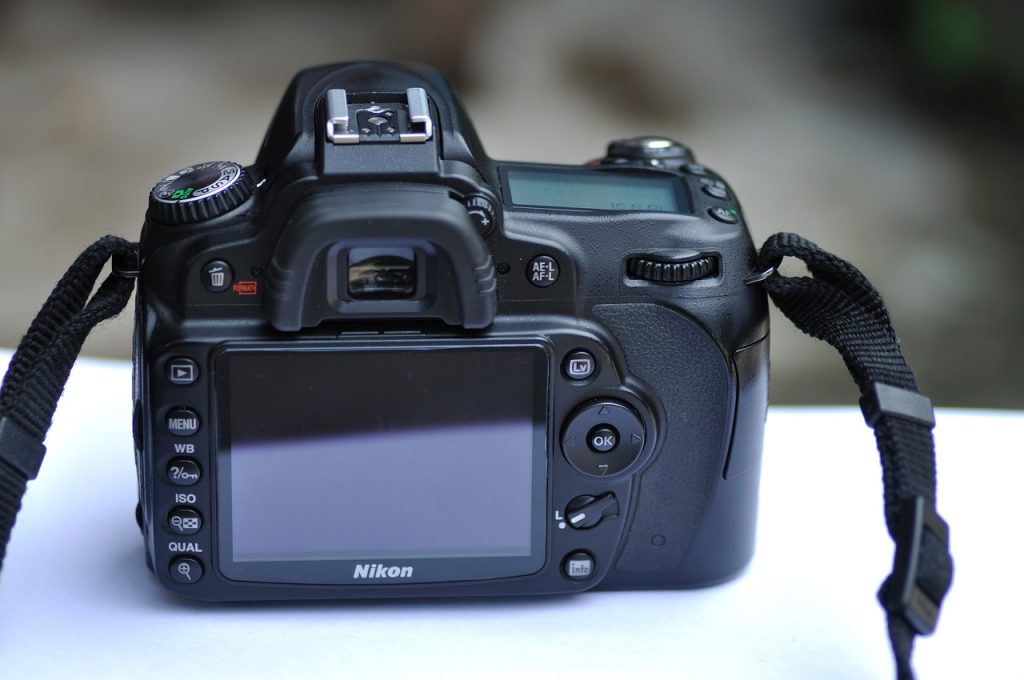
    That fancy camera you bought is currently judging you from its bag. It’s whispering, “You paid all that money just to keep me on the little green ‘AUTO’ square?” It’s time to break up with auto mode. It’s not you, it’s… actually, it is you. Let’s fix it.

    The Holy Trinity of Photography (It’s Not as Scary as It Sounds):

    Forget megapixels for a second. The real magic happens when you control three things: Aperture, Shutter Speed, and ISO.

    · Aperture (The f/ number): The Pupil of Your Camera.
    A low f-number (like f/1.8) means the aperture is wide open, letting in tons of light. This gives you that beautiful, blurry background (bokeh) that makes your subject pop. Perfect for portraits.
    The Trick: Set your camera to “A” or “Av” mode. Dial the f-number down as low as it will go. Now, shoot a picture of your dog. Behold! Your dog now looks like a majestic, artistic muse instead of a derpy squirrel-chaser.
    · Shutter Speed: The Blink of an Eye.
    A fast shutter speed (like 1/1000th of a second) freezes action. A slow one (like 1/30th) creates motion blur.
    The Trick: Switch to “S” or “Tv” mode. For a waterfall, use a slow shutter speed (you’ll need a tripod) to make the water look like silky smooth milk. For your friend kicking a soccer ball, use a fast shutter speed to freeze the moment mid-kick. You’re no longer taking pictures; you’re controlling time.
    · ISO: The Digital Coffee.
    In a dark room, you turn up the ISO to make the sensor more “sensitive” to light. The catch? Too much “digital coffee” (high ISO) and your photo gets grainy.
    The Trick: Keep your ISO as low as possible (like 100-400) in daylight. In a dim pub, crank it up, but embrace the grain—it can look cool and gritty, like a vintage film photo.

    The Takeaway: Stop being a passive button-pusher. Play with these three settings. You’ll mess up. You’ll take a photo so dark it’s just a black rectangle. This is progress. It means you’re learning.

    Your phone is a pocket-sized supercomputer, and you’re probably using it for calls, texts, and doomscrolling. It’s time to unlock its inner wizard.

    · Automate Your Life (The Lazy Person’s Guide to Productivity):
    Both iOS (Shortcuts app) and Android have powerful automation tools.
    The Trick: Create a “Good Morning” shortcut that, with one tap (or automatically at 7 AM), reads out the weather, your calendar events, and starts a coffee playlist. Make a “Going Home” shortcut that texts your partner “On my way!” and pulls up directions, all at once. You’re not using a phone; you’re commanding a personal assistant.
    · The Camera You Already Own:
    You bought a phone with three lenses for a reason. Use them!
    The Trick:
    · Portrait Mode: Not just for people. Use it on your dinner, your cat, or a cool flower. Instantly elevates your snap to a “photograph.”
    · Ultra-Wide Lens: Don’t just step backwards to fit a building in the shot. Use the ultra-wide for dramatic landscapes or hilarious, distorted pet photos.
    · Pro/Manual Mode: Yes, your phone has this too! It’s a perfect training ground for the Aperture, Shutter Speed, and ISO lessons from your big camera.
    · Digital Wellbeing: The Most Important Feature.
    The best feature on your phone is the one that helps you use it less. Set app timers. Schedule “Do Not Disturb” during your focus hours. Make your screen grayscale at night to make it less appealing.
    The Trick: Your phone should be a tool you use with purpose, not a slot machine you mindlessly check. Master it, don’t let it master you.

    Part 3: Your Laptop – From Cluttered Desktop to Streamlined Sanctuary

    A slow, chaotic laptop is a drain on your productivity and your soul. Let’s perform some digital feng shui.

    · Tame the Tab Tyranny:
    If your browser looks like a colorful quilt of anxiety, you need help.
    The Trick: Use browser tab groups. Name them “Research,” “Social,” “That Vacation I’m Planning.” It’s like cleaning your room by putting things in neat boxes instead of shoving them under the bed. Also, bookmarking. It’s not a novel concept, but it works.
    · Master the Multitask:
    Stop resizing windows like a caveman.
    The Trick: Learn the keyboard shortcuts for split-screen. On a Mac, it’s Mission Control. On Windows, it’s Snap Layouts (win + Z). Using these is like getting a bigger desk without spending a dime. It instantly makes you look and feel more proficient.
    · The Cloud is Your Friend, Not Just a Mystery:
    Stop using your desktop as a “miscellaneous” folder.
    The Trick: Sync your important Documents, Desktop, and Pictures folders with a service like Dropbox, Google Drive, or iCloud. Now, if your laptop takes a swim, your files don’t. It also means you can access the same file from your phone, your laptop, or your friend’s computer seamlessly.
    · The Great Clean-Out:
    Once a year, do a digital purge. Uninstall software you don’t use. Delete old downloads. Empty the trash. It’s like a spring cleaning for your processor. Your laptop will run faster, and your mind will feel clearer.

    The Final Word: The Best Upgrade is a Knowledge Upgrade

    The relentless march of new tech is exciting, but it’s a fool’s game to always be chasing the next big thing. The most powerful, sustainable, and budget-friendly tech upgrade you can make isn’t in your shopping cart—it’s between your ears.

    Before you even think about a new model, ask yourself: “Have I truly mastered the one I have?” You might be surprised to find a world of untapped potential sitting right in your pocket, on your desk, or in your hands. Now go on, be the master of your domain. Your gadgets will thank you for it.